
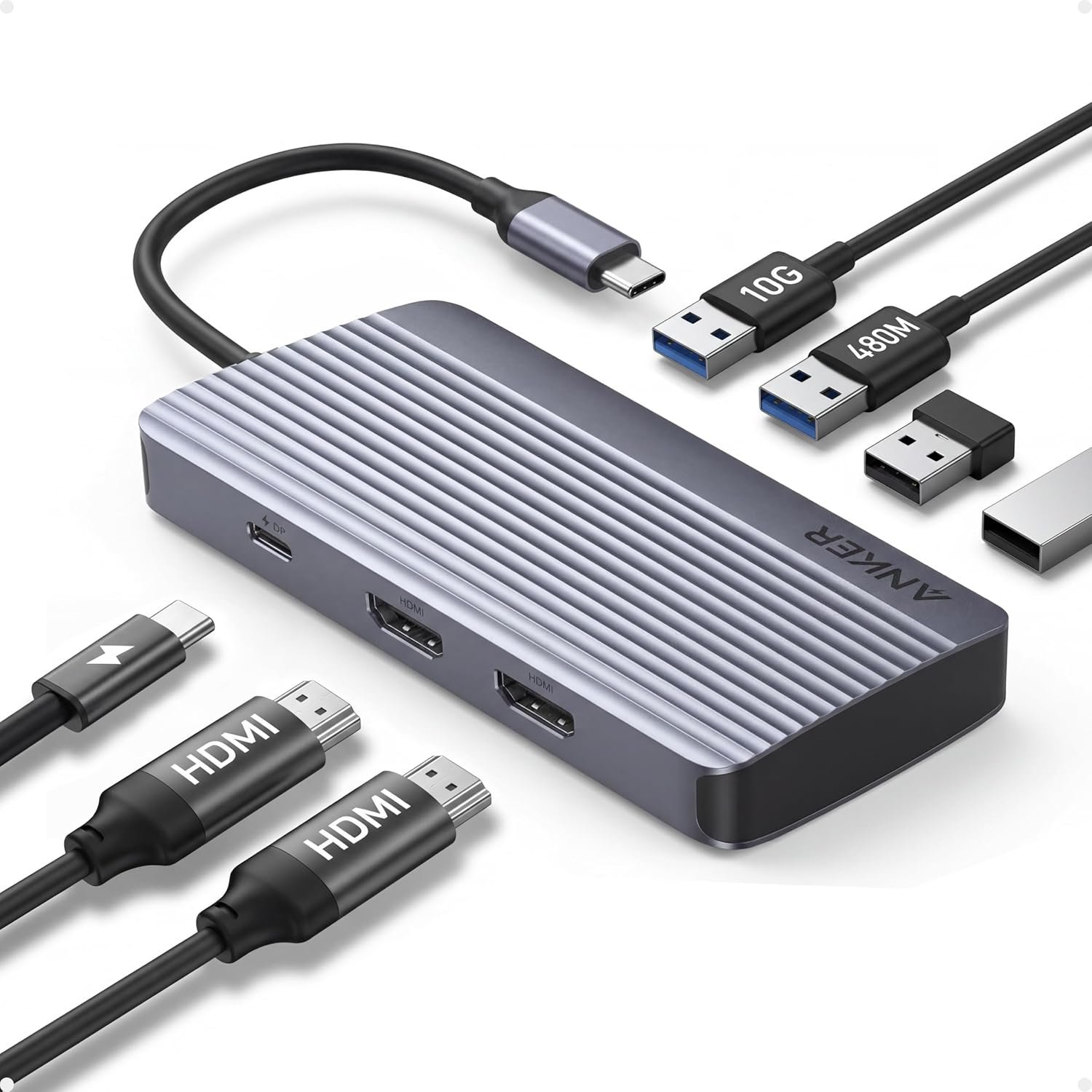
Anker 7-in-1 USB-C Hub, Dual Monitor USB C Docking Station, Dual HDMI Display, 85W Max Output, 10Gbps Data Transfers for Dell XPS, ThinkPad T14 Gen2 and More
$31.99
Related Products









Product description


1 Premium Finish
2 Flexible Cable
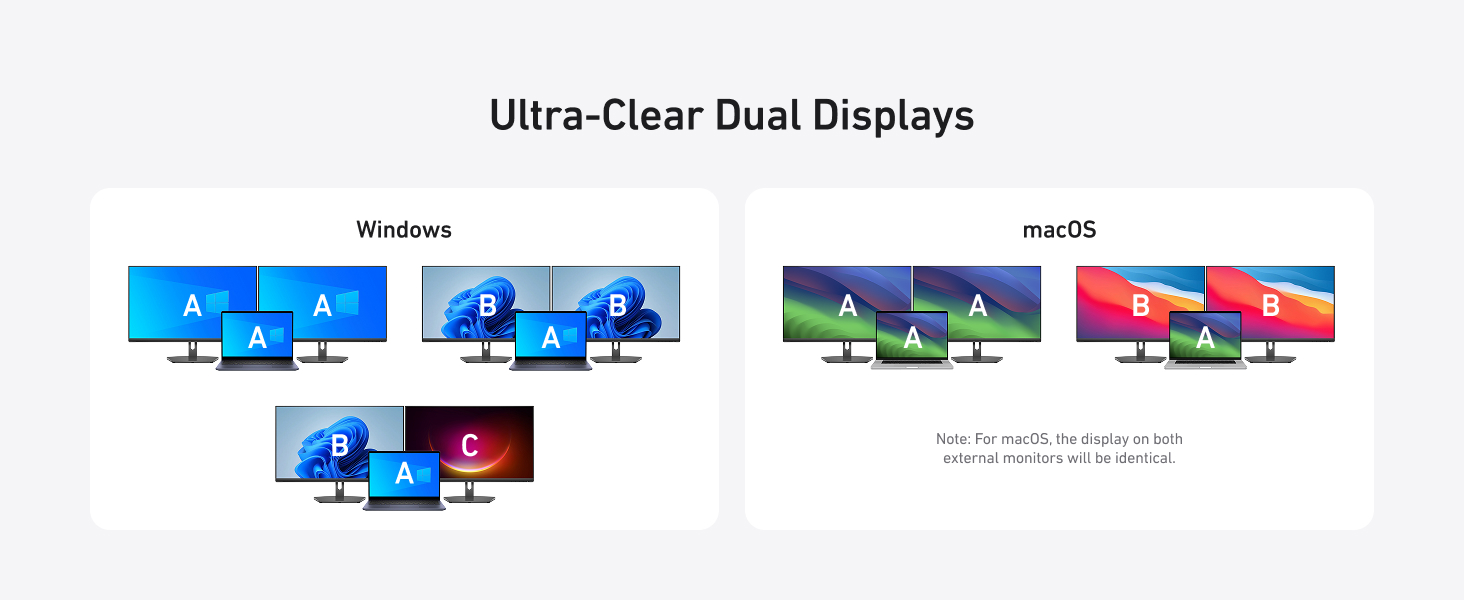

1 Ultra-Clear Dual Displays
2 Resolution Compatibility

Anker USB-C Hub (7-in-1, Dual Display)
Model Number: A8374 Seamless Dual Monitors and Multiple Connections Dual Screens&Multiple Ports : Take control of your desk with dual monitor support and seven connectivity ports, all from one compact device. Mirror or Extend Your Screens: Choose between mirror and extended display modes to optimize your viewing area and improve productivity. (Note: macOS supports only mirror mode.) Durable, Metallic-Like Finish: Experience a touch of elegance and refined craftsmanship thanks to the metallic-like finish, meticulously crafted from high-quality aluminum. Safe and Compatible: Equipped with safety features such as short circuit and overvoltage protection, the hub also ensures compatibility with major operating systems and devices. Notes 1: The USB-C and USB-A ports do not support charging peripheral devices. Notes 2: This hub is not compatible with Switch or SuperDrive. Notes 3: The maximum resolution for extended displays on Windows laptops is determined by the capabilities of their graphics card. Notes 4: Multi-Stream Transport (MST) is not supported on Mac laptops. Monitors connected via HDMI will mirror displays, showing the same image. Notes 5: To fully utilize the display capabilities of the iPad Pro (M1), please connect a USB 3.0 drive to the 10Gbps USB-A port.
Q: Why is there a big difference in resolution between two monitors when Windows is dual-projected?
A: The discrepancy in resolution can occur if one monitor uses too much bandwidth, leaving insufficient bandwidth for the other. To balance the resolutions, you can adjust settings for each monitor:
Step 1: Reduce High-Resolution Displays
1. Go to System Settings > Display > Advanced Display. 2. Under “Select a display to view or change its settings,” choose the high-resolution display (e.g., Display 2). 3. Click “Display adapter properties for [display].” 4. Select “List All Modes,” choose a lower resolution like 1920×1080 at 60Hz, and apply the changes.
Step 2: Improve Low-Resolution Displays
5. Repeat the steps for the low-resolution display. 6. Under “Select a display,” choose the display with lower resolution. 7. Follow the same adjustment process to increase the resolution to your desired level.
Powerful 7-in-1 Hub: Designed for the multitasker, this 7-in-1 USB-C hub features everything from ultra-fast data transfer to high-definition video output.
See More, Do More: Easily extend your workspace across two screens with 1080p@60Hz resolution, ideal for enhancing productivity and multitasking capabilities.
Blazing-Fast 10Gbps Data Transfer: Dramatically reduce transfer times with a 10Gbps port that quickly moves large files and boosts work productivity.
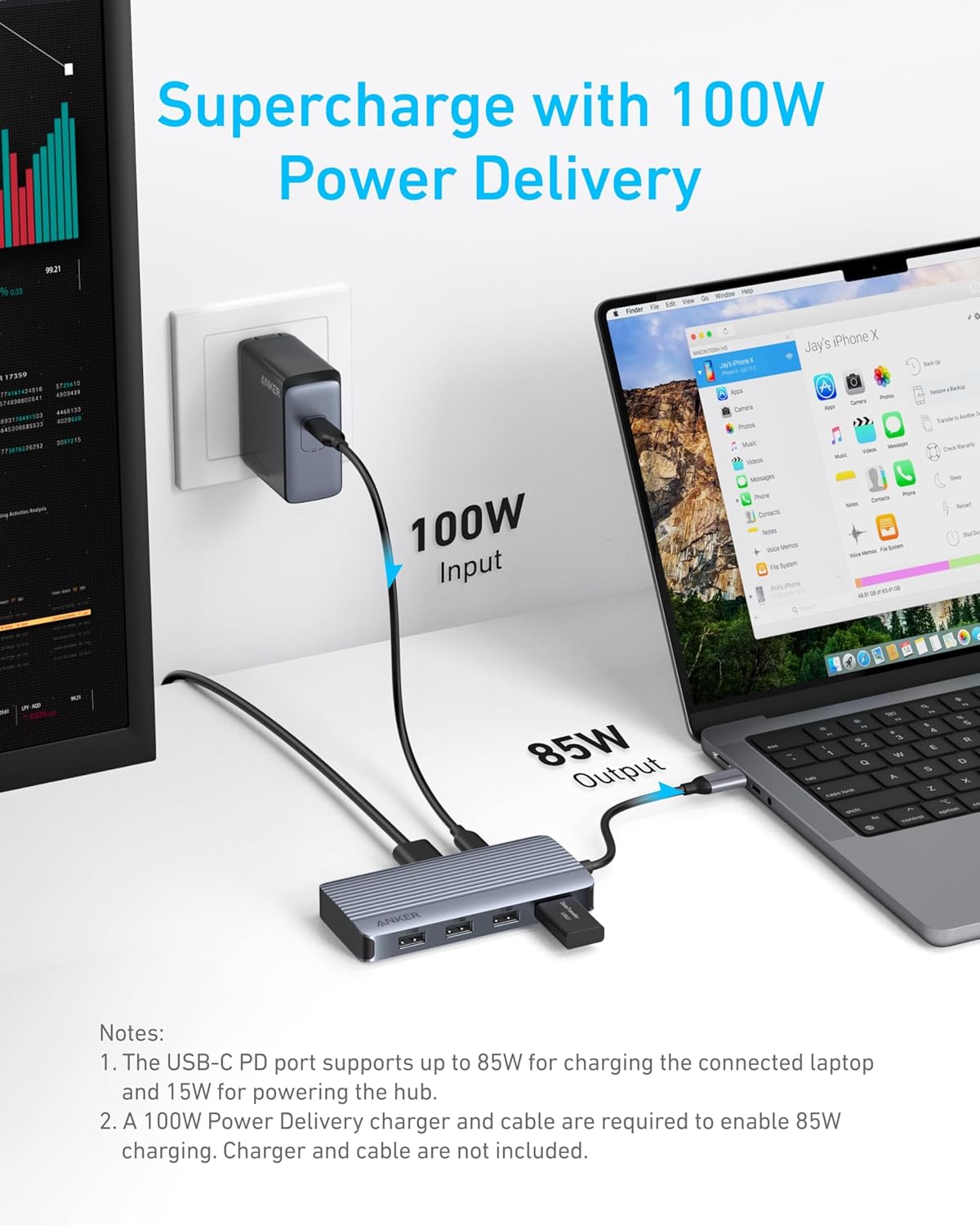
100W Fast Charging: Cut down on charging time with the powerful 100W input and 85W output, suitable for all your high-demand technology. (Note: Wall charger not included.)
Compatibility: Supports USB-C, USB4, and Thunderbolt connections. Compatible with MacBook (macOS 12 and newer), Windows 10 and 11, ChromeOS, and laptops equipped with DP Alt Mode and Power Delivery. Note: This device is not compatible with Linux.
What You Get: Anker USB-C Hub (7-in-1, Dual Display), welcome guide, 18-month warranty, and our friendly customer service.
13 reviews for Anker 7-in-1 USB-C Hub, Dual Monitor USB C Docking Station, Dual HDMI Display, 85W Max Output, 10Gbps Data Transfers for Dell XPS, ThinkPad T14 Gen2 and More
Add a review
$31.99
Mrs. Bree –
Deborah –
EverydayJoe –
Elijah Easton –
RRW –
Jessica Winter –
JM –
Williamp78 –
Debu –
Diogo Ribeiro –
Roman Cunha –
Mango people –
Poojan Patel –